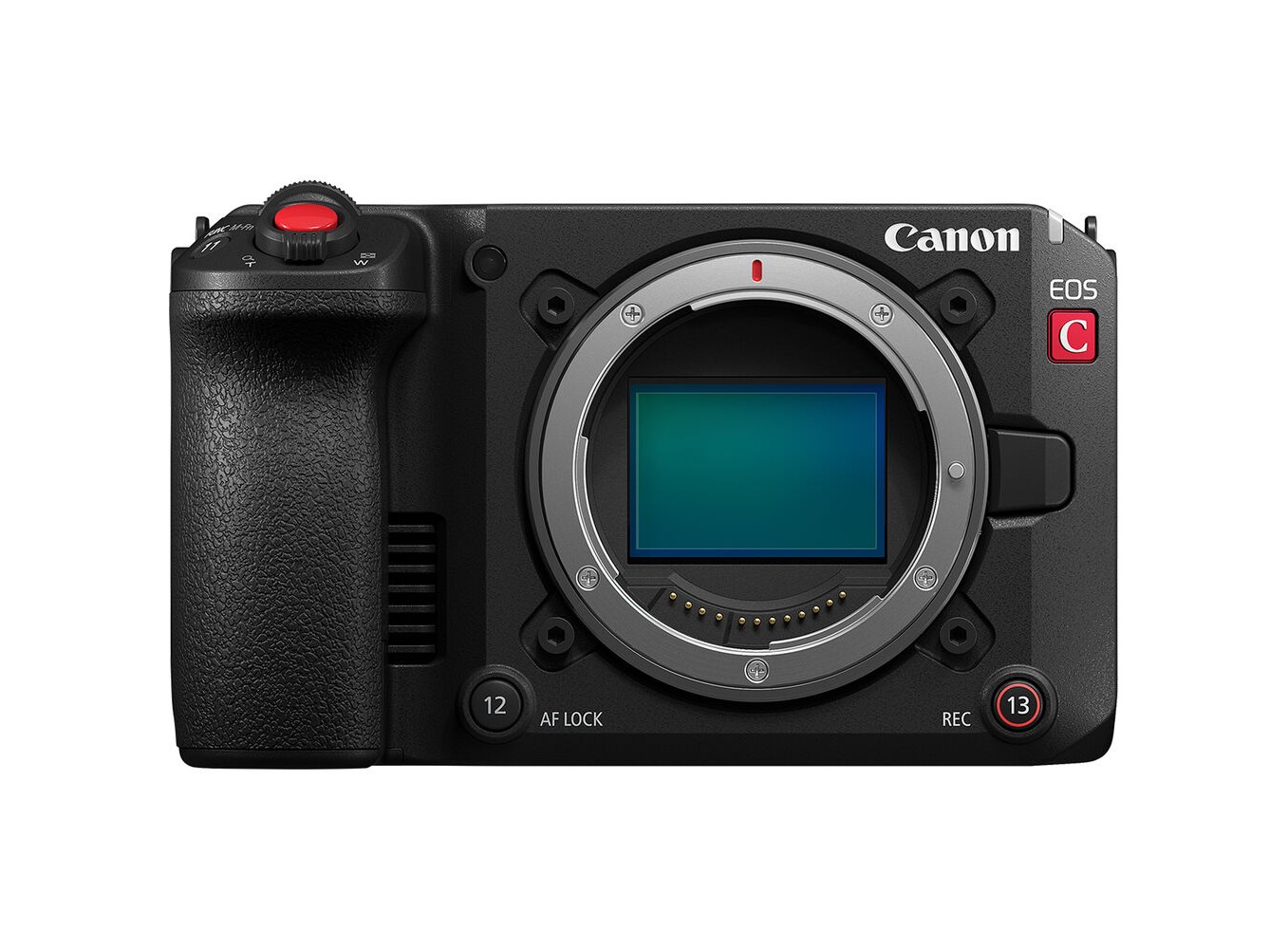
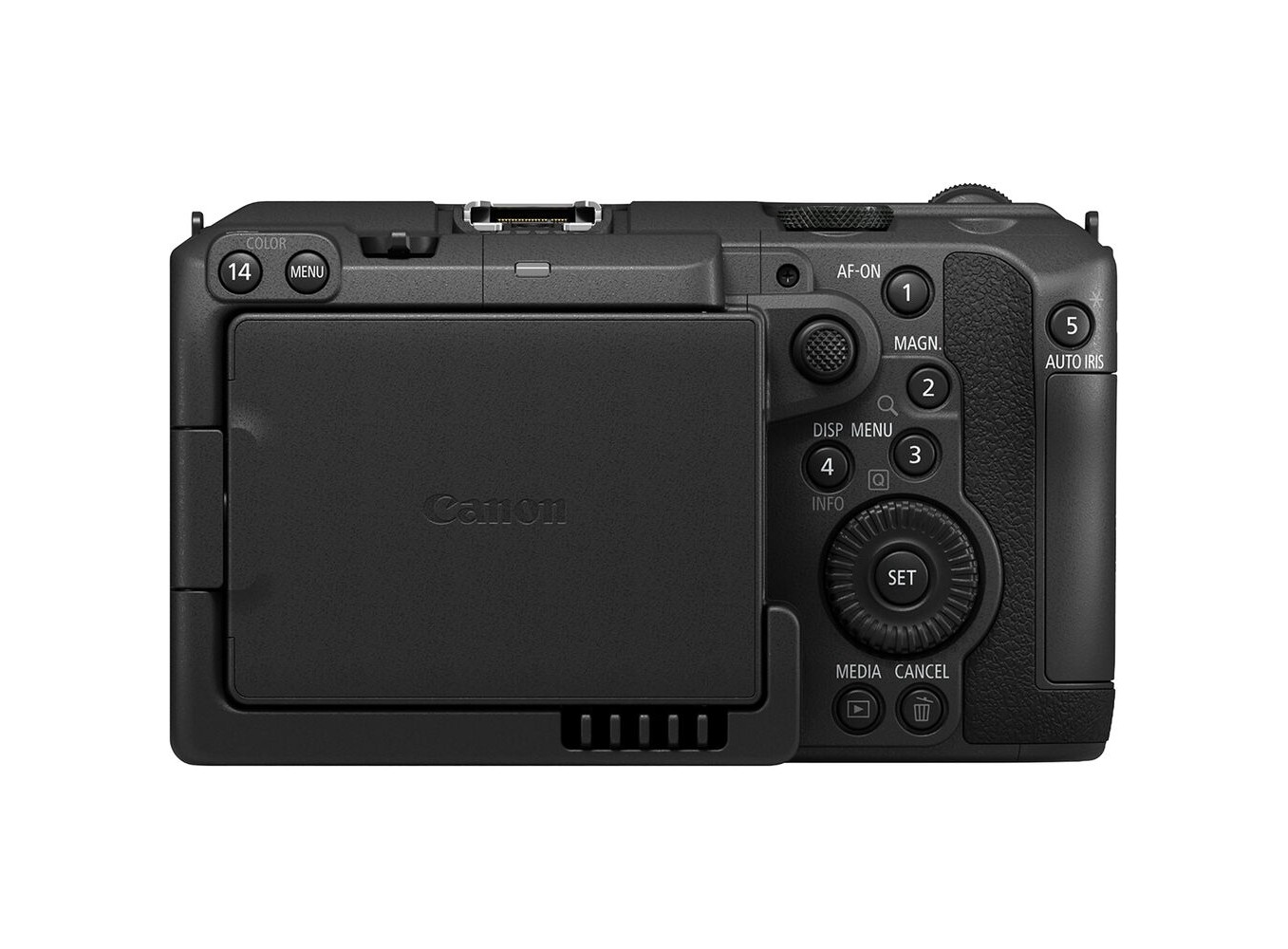
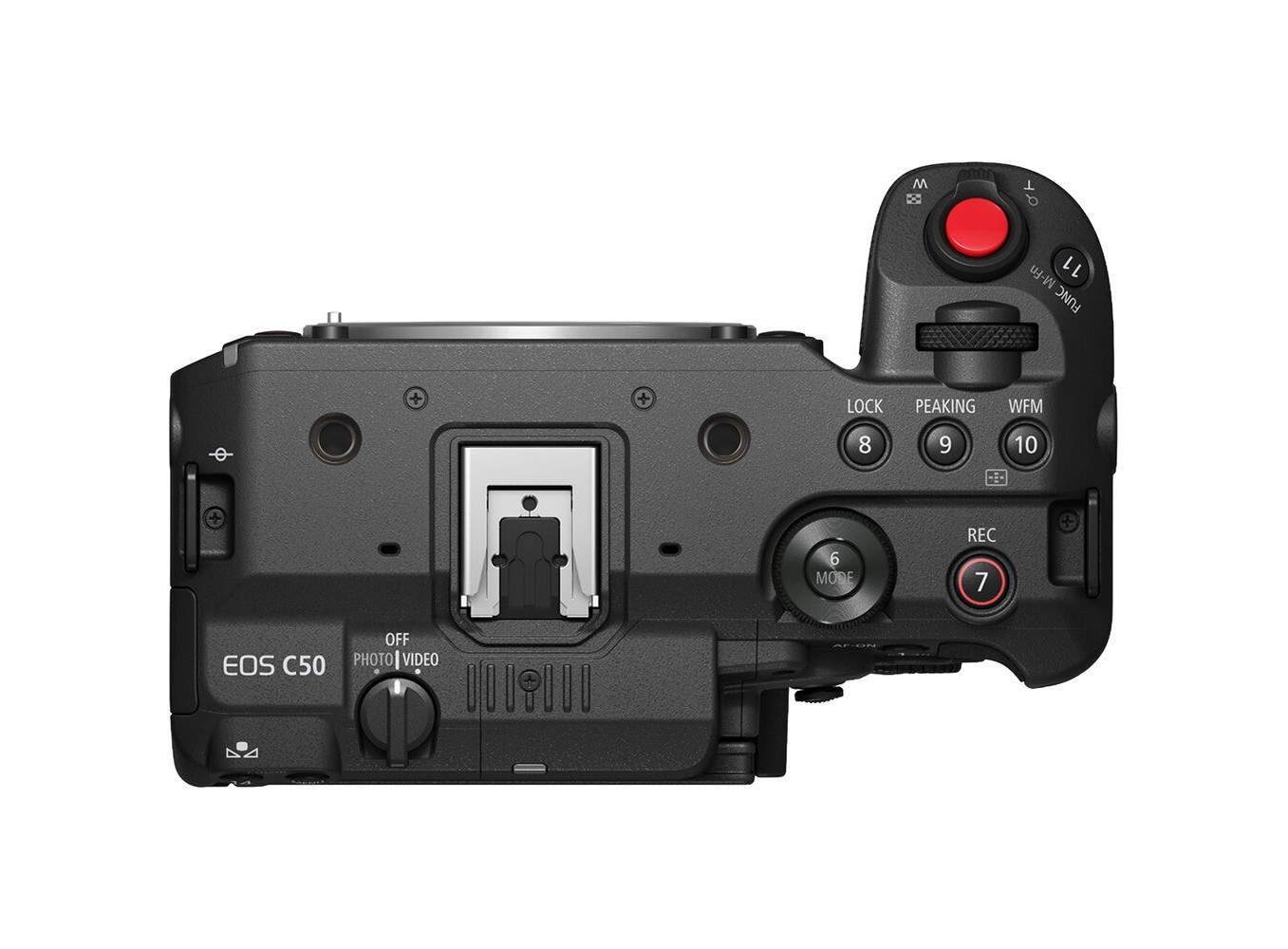
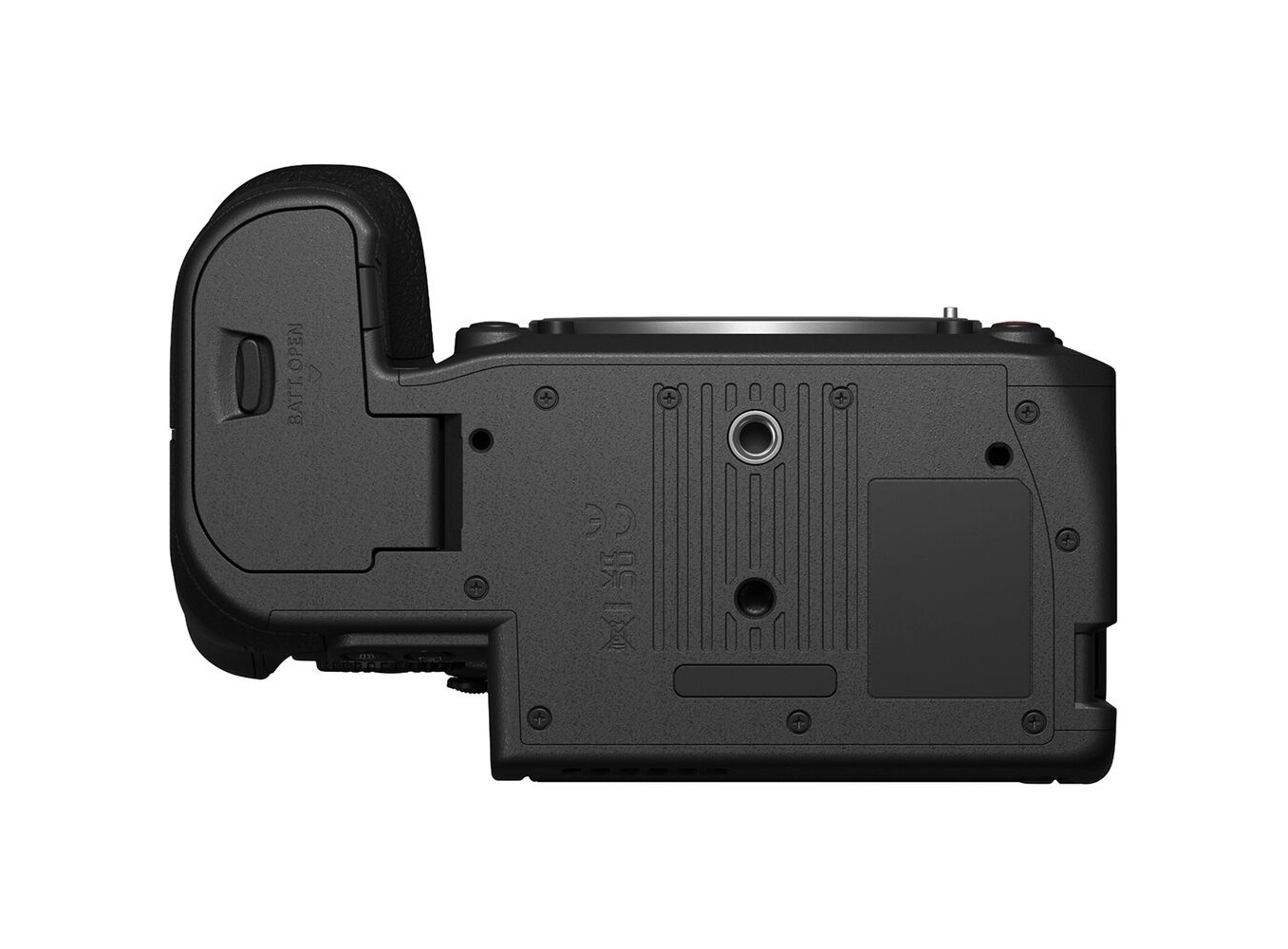
Canon EOS C50 (Chính hãng)

Di chuột vào hình ảnh để phóng to
Thông tin nổi bật:
  • - Cảm biến full frame CMOS BSI 7K
  • - Quay video 7K 3:2 open gate, UHD 4K120, 2K180
  • - Dual ISO 800 & 6400
  • - Ngõ ra HDMI kích thước đầy đủ, cổng mã hóa thời gian DIN
  • - Lấy nét tự động CMOS Dual Pixel II
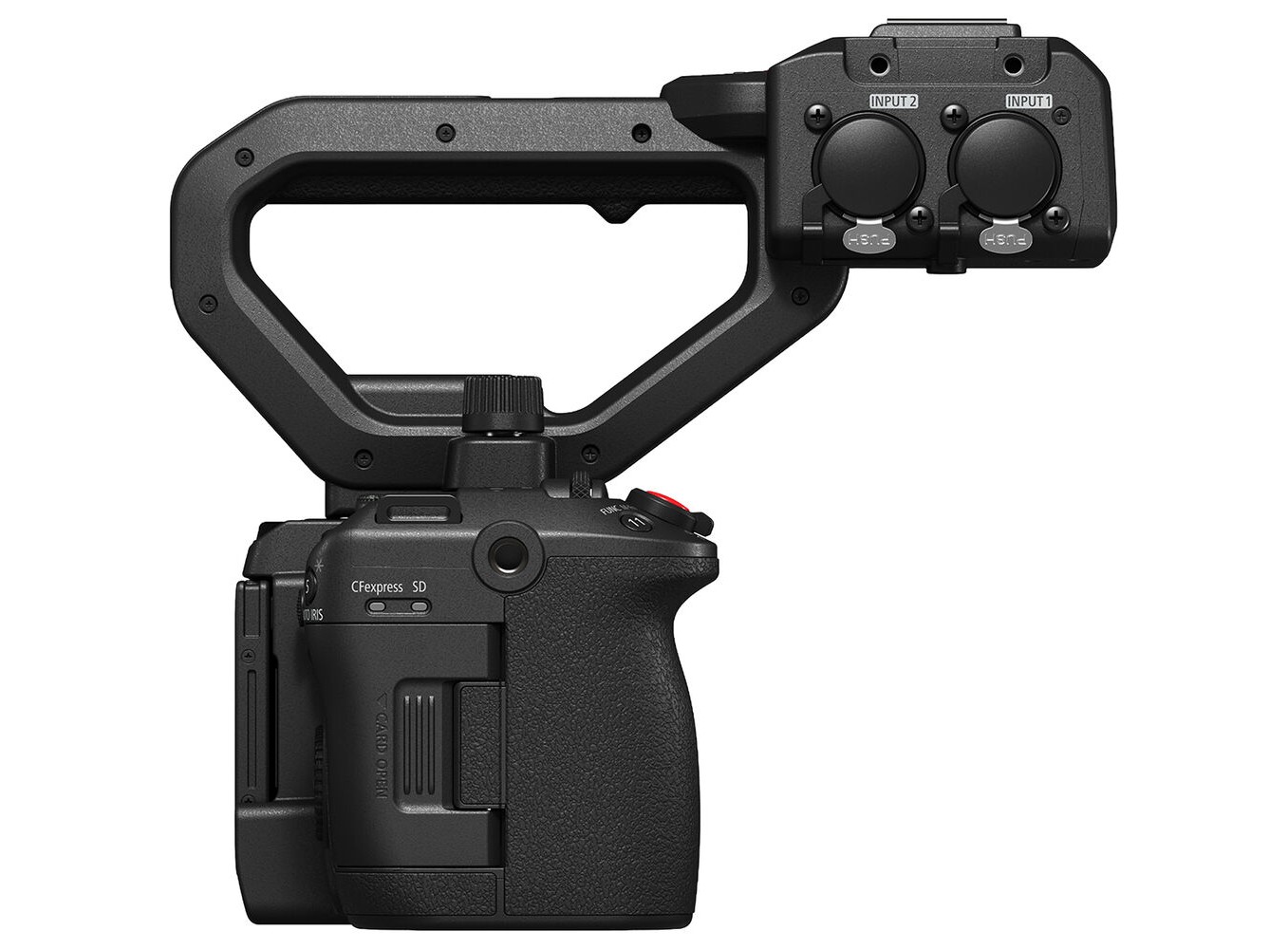
  • - Tay cầm phía trên với đầu vào âm thanh XLR
  • - Nút xoay zoom có ​​thể điều chỉnh tốc độ
  • - Ghi cắt đồng thời
  • - Tích hợp Frame.io Camera-to-Cloud
  • - 2 khe cắm thẻ nhớ CFexpress Type B và SD
Liên hệ để biết giá

Chat với zShop

Avatar Zshop

Xin chào, Bạn cần hỏi giá fix cho sản phẩm Canon EOS C50 (Chính hãng)?

Avatar Zshop

Vui lòng chat trực tiếp với zShop để được báo giá fix tốt nhất!

Tôi muốn hỏi thêm thông tin chi tiết được không?


Liên hệ thuê máy

Avatar Zshop

Xin chào, Bạn muốn thuê sản phẩm Canon EOS C50 (Chính hãng)?

Tình trạng sản phẩm

Tình trạng sản phẩm

Chuyên gia tư vấn
Hỗ trợ trả góp


KHÁCH THƯỜNG MUA THÊM

Canon EOS C50


Được trang bị cảm biến CMOS full-frame 7K mới phát triển, máy quay phim Canon EOS C50 là một thiết bị nhỏ gọn, mạnh mẽ đáp ứng nhu cầu quay phim và chụp ảnh của bạn. EOS C50 có khả năng quay video open gate 3:2 ở độ phân giải 4K120fps và video RAW lên đến 7K60fps, cũng như chụp ảnh tĩnh 32MP ở chế độ chụp ảnh. Chỉ cần lựa chọn giữa chế độ chụp ảnh và quay video chuyên dụng để có trải nghiệm chụp ảnh kết hợp trực quan. Các tính năng nâng cao khác của C50 bao gồm Dual Pixel CMOS AF II, quay phim crop đồng thời 2K, tích hợp Frame.io Camera-to-Cloud và hỗ trợ giao thức XC cho điều khiển từ xa. Tay cầm phía trên có thể tháo rời đi kèm trang bị hai đầu vào XLR 3 chân cũng như các nút điều khiển tích hợp giúp bạn dễ dàng điều chỉnh.

>>> Xem thêm Máy quay Canon


Cảm biến CMOS full-frame 7K

Máy ảnh C50 được trang bị cảm biến CMOS full-frame chiếu sáng sau 7K, cho hình ảnh ít nhiễu, cải thiện hiệu suất trong nhiều môi trường ánh sáng khác nhau. Điều này tối đa hóa dải động 15+ stop của máy ảnh ở chế độ cảm biến full-frame. Độ phân giải 7K mang lại sự linh hoạt hơn trong hậu kỳ, chẳng hạn như quay phim 4K60 với chế độ lấy mẫu quá mức.

Chế độ cảm biến open gate 3:2

Là máy quay EOS đầu tiên trong dòng máy quay phim điện ảnh được trang bị tính năng này, Canon C50 cung cấp các tùy chọn ghi hình Open Gate(*) để tận dụng toàn bộ kích thước cảm biến. Chọn Full Frame 3:2 từ mục Chế độ cảm biến (Sensor Mode) của menu chính để quay phim bằng toàn bộ diện tích cảm biến. Sau đó, bạn có thể sử dụng thông tin đó trong quá trình hậu kỳ để cắt hoặc chỉnh sửa khung hình theo tỷ lệ khung hình mong muốn. Tính năng này rất hữu ích khi quay bằng ống kính anamorphic.

(*) Open Gate trong máy quay cinema là chế độ quay mở toàn bộ khu vực cảm biến hình ảnh của camera, không bị giới hạn bởi khung hình tiêu chuẩn như 16:9 hay 4:3. Điều này cho phép quay với tỷ lệ khung hình lớn hơn hoặc linh hoạt hơn, giúp các nhà sản xuất có thể chỉnh sửa, cắt xén hoặc sáng tạo theo ý muốn trong quá trình hậu kỳ. Open Gate thường được sử dụng trong quá trình quay để giữ nguyên chi tiết và tối ưu hóa chất lượng hình ảnh, đồng thời hỗ trợ các kỹ thuật sản xuất phức tạp hoặc chuyển đổi định dạng sau này.

Ghi hình RAW và tốc độ khung hình cao tích hợp

Các tùy chọn ghi hình bổ sung của Canon C50 bao gồm Cinema RAW Light 7K60 với ba chế độ ghi hình 12-bit ở HQ, ST và LT. Bộ giải mã XF-AVC tiêu chuẩn có sẵn ở định dạng 10-bit 4:2:2 cho hình ảnh chi tiết phong phú và mượt mà ở tốc độ khung hình lên đến 120 khung hình/giây mà không cần cắt hình. Bạn cũng có thể quay phim chuyển động nhanh hoặc chậm lên đến 4K120 và 2K180. Các codec ghi hình khác bao gồm XF-AVC S và XF-HEVC S, cho hệ thống đặt tên và cấu trúc thư mục dễ quản lý, đồng thời vẫn giữ nguyên siêu dữ liệu.

Khử méo anamorphic

Máy quay C50 được trang bị tính năng Anamorphic De-Squeeze tích hợp. Xem trước cảnh quay chính xác hơn khi quay ở các tỷ lệ phóng đại khác nhau bằng cách chuyển đổi các tùy chọn khử méo trong menu máy ảnh: 2x, 1.8x, 1.5x, 1.3x.

Hai mức ISO nền

ISO cơ sở 800 và 6400 ở chế độ ghi gamma Canon Log 2 giúp tối đa hóa toàn bộ dải động của cảm biến C50. Máy ảnh cũng có tính năng Tự động chọn để tự động chuyển đổi giữa một trong hai mức ISO cơ sở và một mức khác trong khi vẫn duy trì dải động.

Lấy nét tự động CMOS Dual Pixel II

Giữ chủ thể luôn rõ nét, dù bạn đang quay chuyển động chậm hay nhanh. Hệ thống lấy nét tự động CMOS Dual Pixel II có thể đáp ứng tốc độ lên đến 4K120 và 2K150, đảm bảo ngay cả khi sử dụng tốc độ khung hình cao, chủ thể vẫn luôn rõ nét. Cảm biến của C50 đã cải thiện hiệu suất bắt sáng, giúp mở rộng vùng cảm biến có thể sử dụng để lấy nét tự động. Thuật toán phát hiện chủ thể nội bộ với công nghệ học sâu cho phép bạn đặt chế độ phát hiện khuôn mặt/mắt ở chế độ ưu tiên mắt trái hoặc mắt phải ở cả người và động vật. Tính năng phát hiện động vật giờ đây cũng bao gồm cả chim.

Ghi hình cắt đồng thời

Chọn giữa ba tùy chọn định dạng 9:17, 9:16 hoặc 1:1 để tự động cắt hình ảnh xuống khi quay ở độ phân giải DCI hoặc UHD 4K. Phần khung hình đã cắt sẽ được lưu theo tỷ lệ khung hình bạn đã chọn và sẽ ở độ phân giải 2K. Tất cả điều này giúp giảm thời gian xử lý khi định dạng video để chia sẻ trên mạng xã hội.

Hai khe cắm thẻ

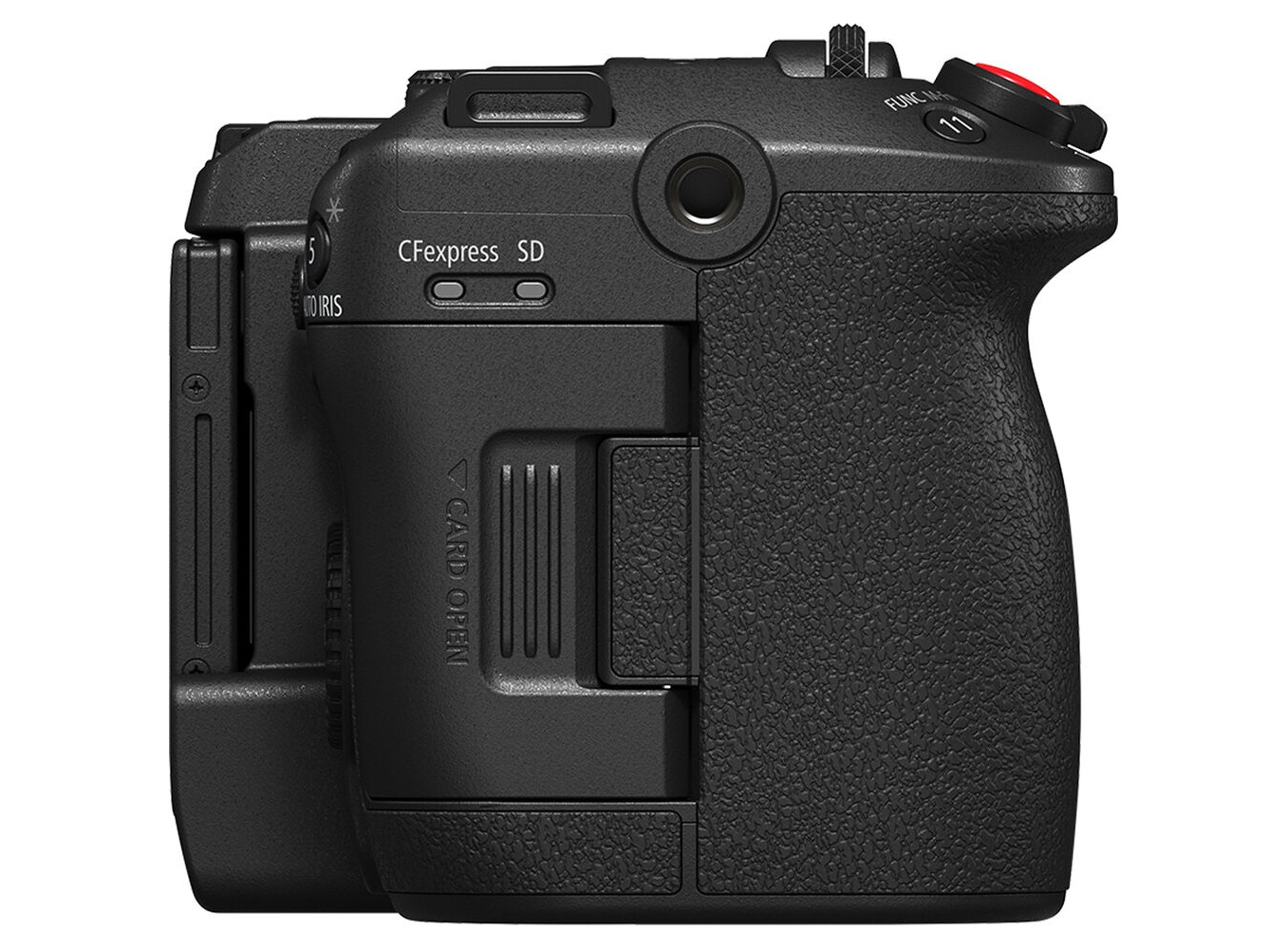
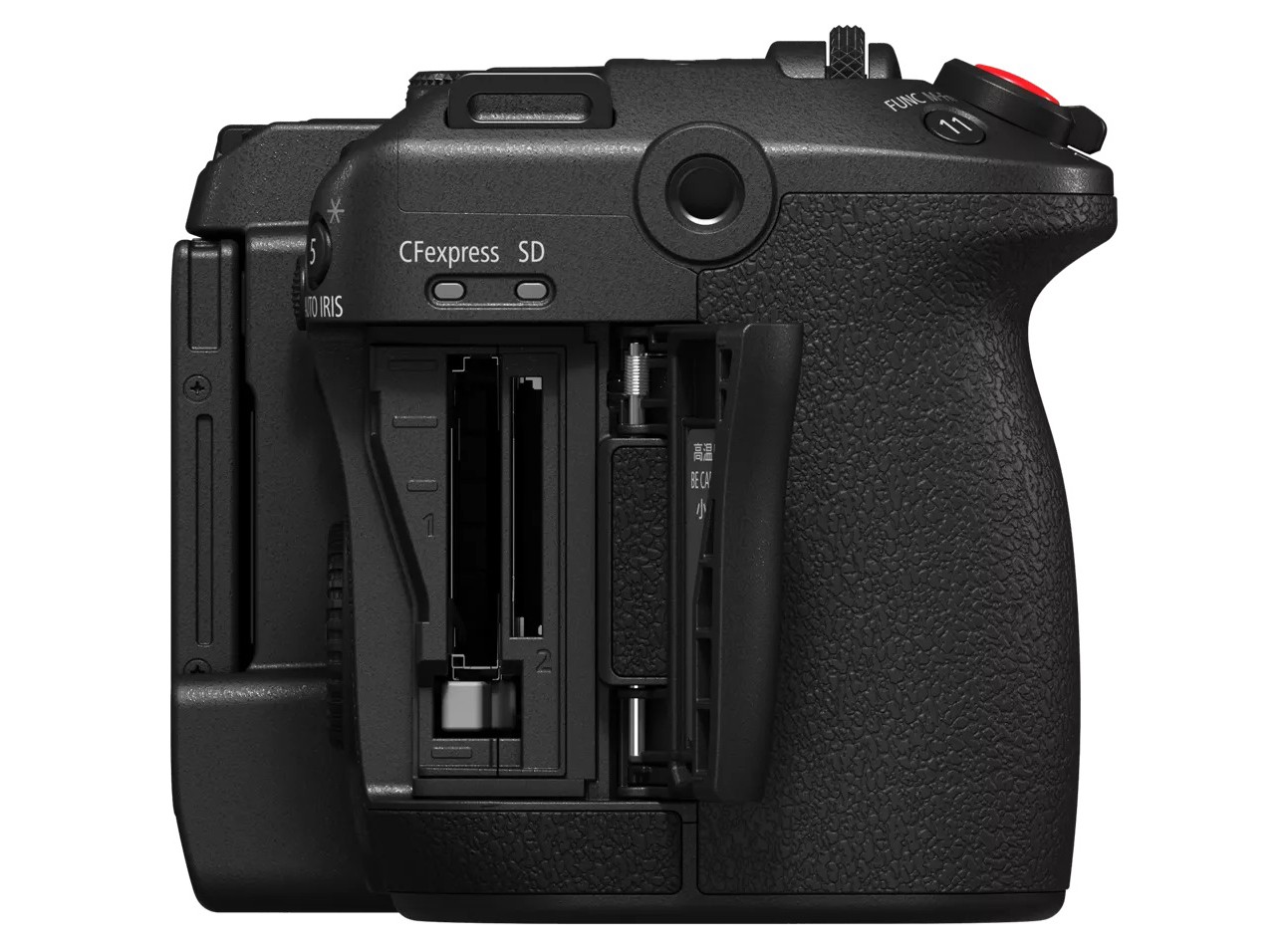
Máy quay Canon C50 bao gồm hai khe cắm thẻ khác nhau — một thẻ CFexpress Type B và một thẻ SD. Cả hai khe cắm đều hỗ trợ ghi đồng thời ngay cả khi quay ở định dạng RAW. Tất cả các tùy chọn ghi được lưu vào thẻ CFexpress đã lắp, trong khi các tùy chọn ghi phụ và ghi proxy được lưu vào thẻ SD đã lắp.

Giao diện quay phim chiều dọc nguyên bản

Việc quay ảnh dọc giờ đây thậm chí còn trực quan hơn nhờ giao diện chụp ảnh dọc của Canon C50. Chỉ cần chuyển sang chế độ quay phim chiều dọc (Vertical Shooting) nguyên bản để lật màn hình cho phù hợp. Máy cũng hỗ trợ điều khiển cảm ứng để bắt đầu/dừng quay từ chế độ màn hình dọc. Tất cả giao diện chụp, cài đặt menu và điều chỉnh độ sáng màn hình LCD đều được định hướng lại để tối ưu hóa trải nghiệm quay phim.

Tay cầm có thể tháo rời

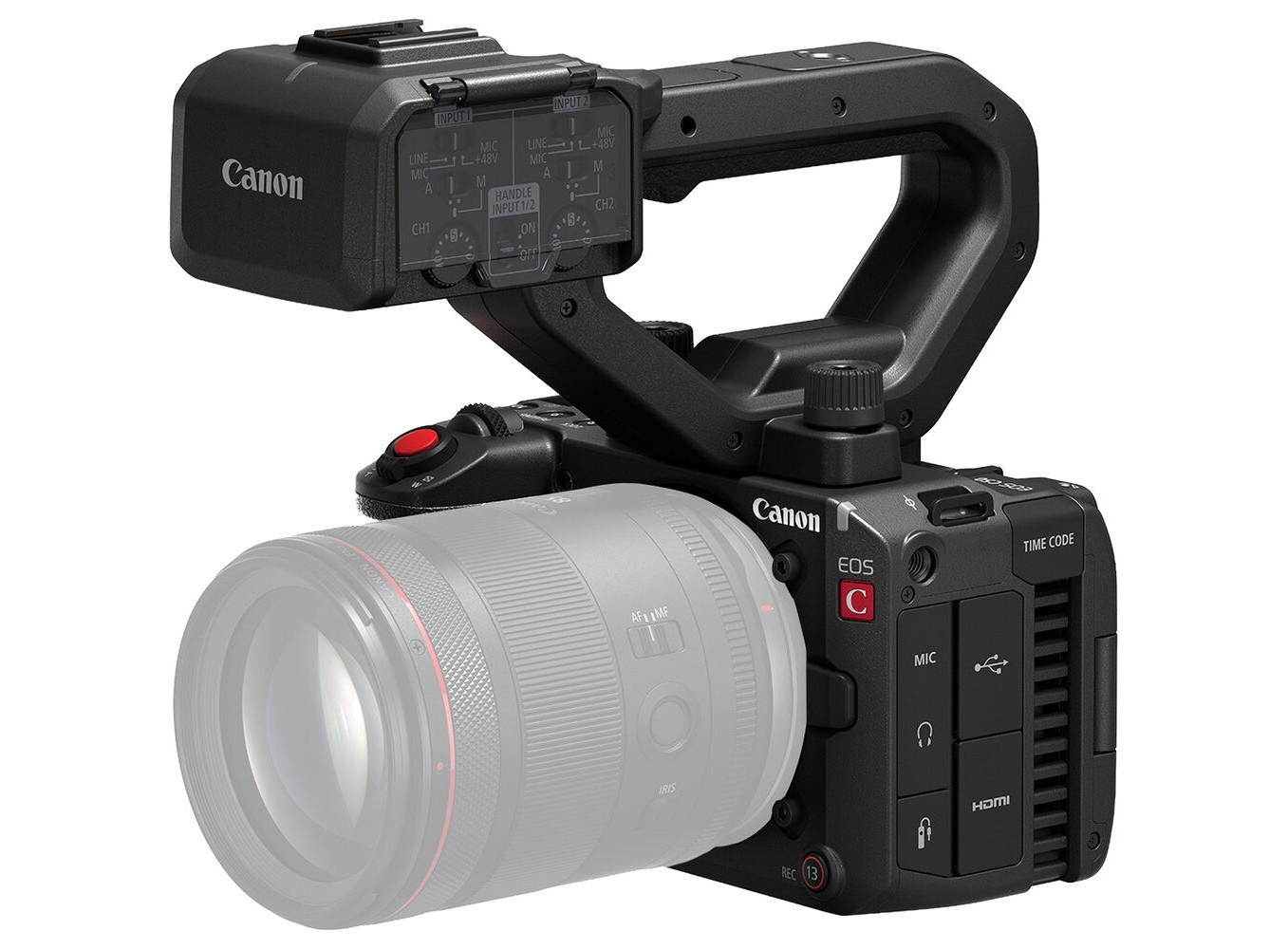
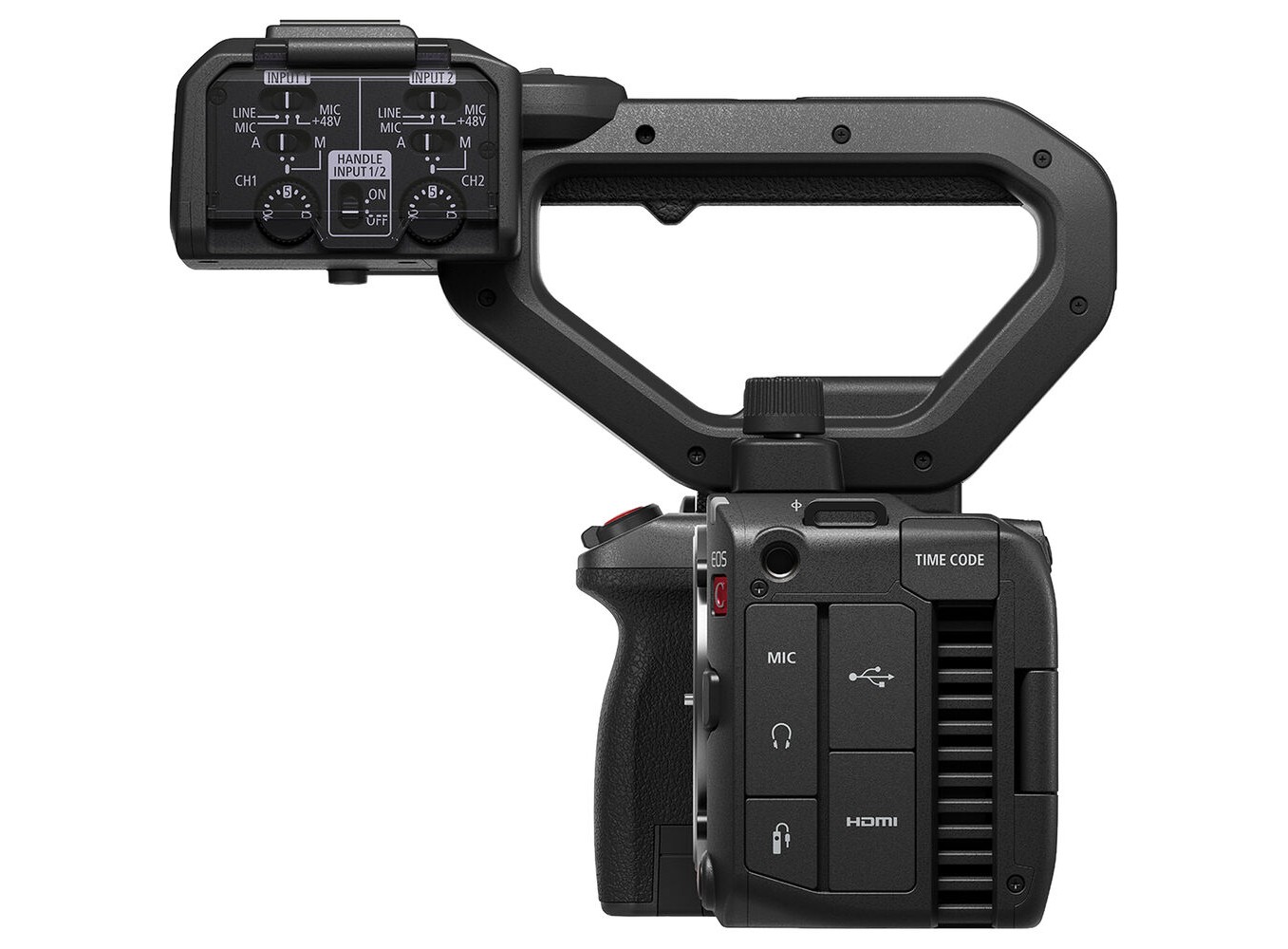
Tay cầm đi kèm, có thể tháo rời, cung cấp thêm kết nối cho cấu hình cầm tay C50 của bạn. Hai đầu vào XLR 3 chân kích thước đầy đủ với nguồn phantom 48V cho phép bạn tích hợp micro shotgun. Nút bắt đầu/dừng quay tích hợp và nút chỉnh zoom giúp bạn dễ dàng điều khiển khi quay các cảnh góc thấp.

Kết nối toàn diện

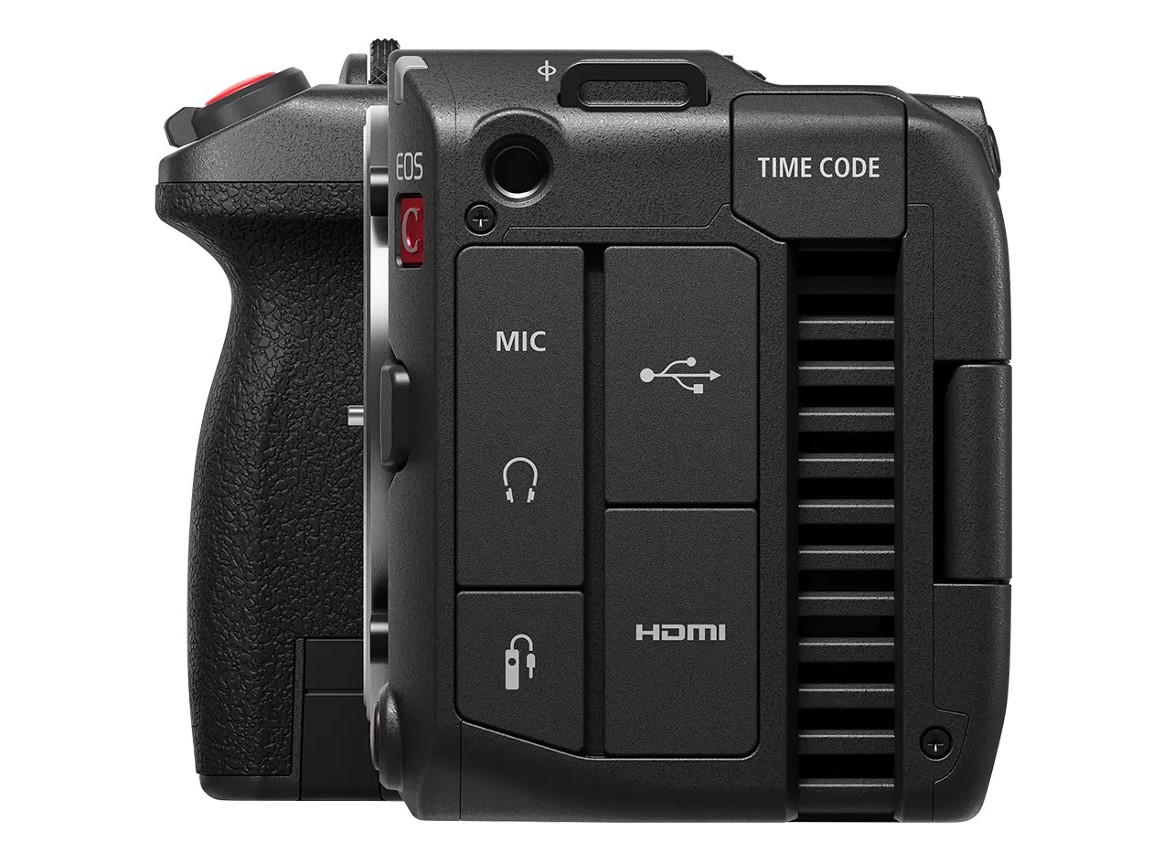
Thân máy Canon C50 cung cấp cho bạn đa dạng cổng kết nối để tạo ra một hệ thống máy quay phù hợp nhất với nhu cầu sản xuất của bạn. Các kết nối bao gồm đầu ra HDMI, đầu ra tai nghe, cổng timecode, đầu vào micro 3.5mm, cổng điều khiển từ xa 2.5mm và cổng USB-C đa năng cho điện thoại thông minh hoặc bộ chuyển đổi Ethernet. Máy quay cũng được trang bị hotshoe thông minh cho giao tiếp âm thanh không dây.

Giao thức XC

Wi-Fi tích hợp hỗ trợ giao thức XC cho C50, hệ thống điều khiển từ xa dựa trên IP của Canon. Giao thức XC cho phép máy quay được vận hành bởi các bộ điều khiển Canon dựa trên IP như RC-IP1000 hoặc RC-IP100, trong khi các bảng điều khiển từ xa của bên thứ ba có thể che khuất máy quay. Sử dụng bộ chuyển đổi USB-C sang Ethernet để có thêm các tùy chọn kết nối. Ứng dụng Remote Control Camera và ứng dụng Multi-Camera Control của Canon có thể chuyển đổi cài đặt máy quay cũng như điều khiển nhiều máy quay. C50 hỗ trợ giao thức SRT để truyền phát trực tiếp âm thanh và video qua IP đến các nguồn tương thích.

Frame.io Camera-to-Cloud

C50 tương thích hoàn toàn với công nghệ Camera-to-Cloud của Frame.io. Gửi tệp proxy ngay sau khi ghi hình nội bộ để quy trình hậu kỳ hiệu quả. Tệp proxy không yêu cầu xử lý hoặc chuyển đổi bổ sung và có thể được xem, chia sẻ và chỉnh sửa từ xa.

Hỗ trợ sản xuất ảo

C50 có thể xuất giao thức CV sang nhiều thiết bị, dễ dàng tích hợp vào quy trình sản xuất ảo. Siêu dữ liệu ống kính được trích xuất bằng plugin trích xuất siêu dữ liệu CV trên các máy tính tương thích.

Chế độ chụp ảnh không gương lật

Biến Canon C50 từ máy quay phim thành máy ảnh không gương lật đầy đủ tính năng chỉ bằng một nút gạt. C50 vay mượn hệ thống menu quen thuộc của dòng máy ảnh EOS R để điều khiển trực quan. Người dùng máy ảnh lai không còn cần mang theo hai máy ảnh cùng lúc để có quy trình làm việc hợp lý. Cảm biến full-frame mang lại độ sâu trường ảnh nông với hiệu ứng bokeh đẹp mắt, sử dụng ISO tiêu chuẩn lên đến 64000. Độ phân giải ảnh tĩnh có thể đạt tới 32MP và bạn có thể đạt tối đa 40 ảnh mỗi giây khi chụp liên tục tốc độ cao. Chế độ này vẫn hỗ trợ Dual Pixel CMOS AF II.


 

>>> Xem thêm Máy quay phim

Tùy chọn theo giá:
Thương hiệu:
Canon
Cấp độ chuyên nghiệp
:
Chuyên nghiệp

Sản phẩm bao gồm

  • Canon EOS C50
  • Handle Unit
  • Canon LP-E6P Lithium-Ion Battery
  • Canon LC-E6 Charger
  • Microphone Holder
  • Shoulder Strap
  • Screw for Microphone Holder Unit

Đặc tính kỹ thuật Canon EOS C50

General

Type

Image Processor
DIGIC DV 7
Lens Mount
Canon RF mount
Lens
•RF lens(including RF-S lens, RF cinema lens)
•EF lens(including EF-S lens, EF cinema lens (when equipped the RF-EF Mount Adapter))
•PL lens(when equipped the Mount Adapter PL-RF)
 

Image Sensor

Sensor
Full frame CMOS sensor
Number of Total Pixels
Approx. 34.20 megapixels (7144x4790)
Number of Effective Pixels
•Sensor mode: Full frame 3:2
Approx. 32.373 megapixels (6968x4646): 6960x4640 / 6912x4608 resolution
•Sensor mode: Full frame
Approx. 25.628 megapixels (6968x3678): 6960x3672 /4096x2160 / 2048x1080 resolution
Approx. 24.032 megapixels (6534*1x3678): 3840x2160 / 1920x1080 resolution
•Sensor mode: Super 35mm (Crop)
Approx. 13.427 megapixels (5044x2662): 5036x2656 /4096x2160 /2048x1080 resolution
Approx. 12.591 megapixels (4730*2x2662): 3840x2160 / 1920x1080 resolution
•Sensor mode: Super 16mm (Crop)
Approx. 3.388 megapixels (2532x1338): 2524x1332 /2048x1080 resolution
Approx. 3.176 megapixels (2374*3x1338): 1920x1080 resolution

*1 Converted from 6968 pixels
*2 Converted from 5044 pixels
*3 Converted from 2532 pixels
Unit pixel
5.16 x 5.16 (μm)
Effective Sensor Size
•Sensor mode: Full frame 3:2
35.9 x 23.9 mm (43.2 mm on the diagonal):6960x4640 resolution
35.7 x 23.8 mm (42.9 mm on the diagonal):6912x4608 resolution
•Sensor mode: Full frame
35.9 x 18.9 mm (40.6 mm on the diagonal):6960x3672 /4096x2160 / 2048x1080 resolution
33.6 x 18.9 mm (38.6 mm on the diagonal):3840x2160 / 1920x1080 resolution
•Sensor mode: Super 35mm (Crop)
26.0 x 13.7 mm (29.4 mm on the diagonal):5036x2656 /4096x2160 /2048x1080 resolution
24.4 x 13.7 mm (28.0 mm on the diagonal):3840x2160 / 1920x1080 resolution
•Sensor mode: Super 16mm (Crop)
13.0 x 6.9 mm (14.7 mm on the diagonal):2524x1332 /2048x1080 resolution
12.2 x 6.9 mm (14.0 mm on the diagonal):1920x1080 resolution
Color Filter System
RGB primary color filter (Bayer array)
Dynamic Range
•Sensor mode: Full frame
Canon Log 2:1600% / 15+ stops(Base Sensitivity ISO 800)
•Sensor mode: Super35mm
Canon Log 2:1600% / 16 stops(Base Sensitivity ISO 800)
 

LCD Screen

Type
Color wide LCD monitor
Screen size
3.0 inch (diagonal 7.5 cm)
Number of dots
Approx. 1.62 million dots (900xRGBx600)
Field of view coverage
100%
Adjustment function
Brightness, Contrast, Color, Sharpness, Luminance*
* A luminance boost function is also available that makes LCD monitor display easier tosee outdoors and in other bright conditions.
Touch panel
Electrostatic capacitance system. Touch/drag operation supported.
Network Specifications
•Ethernet
- Standards compliance: Follows the specifications of the Ethernet adapter
•Wi-Fi
- Supported standards: IEEE802.11b /g /n(2.4 GHz)
IEEE802.11a / n / ac(5 GHz)
- Setup: Infrastructure(WPS: push button method, WPS: PIN code method, access point, manual configuration)、Camera access point
- Security: Open, Shared key, WPA/WPA2/WPA3-Personal, WPA/WPA2/WPA3-Enterprise
- Encryption: TKIP、AES
•IP streaming
Compression method
MPEG-4 H.264/AVC
Bit rate/Resolution
9 Mbps:1920x1080(59.94P、59.94i、50.00P、50.00i)
4 Mbps:same as above
Audio
MPEG-2 ACC-LC 2ch
Audio rate
256 kbps
Protocols
•UDP
Prioritizes transfer speed, with no guarantees of reliability or correct order. Lost or lagging packets ignored.
•RTP
Standard system for sending videos and audio online. Lost or lagging packets ignored.
•SRT
Achieves high-quality streaming with minimal video distortion due to low latency and a packet loss playback function.
•RTP+FEC
Error correction (FEC)* control during RTP transfer enables recovery of lost or corrupt packets on the receiving side.
•RTSP+RTP
Real-time data streaming control via RTSP (Real Time Streaming Protocol) andtransfer via RTP. The receiving side can start or stop streaming.
Network functions and connection methods
Function Description
Ethernet
Wi-Fi
Infrastructure
Camera
access
point
IP Streaming
Streams video to decoder transmission device or computer over the network.
XC Protocol
The D227 can be remotely operated by a controller or application that supports the XC protocol via IP connection.
Supported Canon products are as follows:
•Controller
RC-IP100 (Ver 1.20 or later), RC-IP1000
•Application
Remote Camera Control Application (Ver
1.3.0 or later), Canon Multi-Camera Control, Multi-Camera Management
Application
Canon App
This function allows you to connect a camera to a mobile device running iOS or Android via Wi-Fi, and use Content Transfer Professional on the device to transfer files from the camera (video files, audio files, News Metadata, still image files),
as well as create and edit News Metadata.
CV Protocol
Output metadata information needed for real- time virtual production in a computer application from a commercially available Ethernet
adapter.
●*
Frame.io
Upload clips from the camera using Adobe's Frame.io Camera to Cloud function.

*IPv4 only

Verified Ethernet Adapters
Model Number Manufacturer
US1GC30W StarTech.com
US2GC30 StarTech.com
UG-USBC-25052 UGREEN
  • The listed model numbers have been tested and verified for compatibility by Canon.
  • The operation of the listed models is not guaranteed.

Input / Output terminal

Input terminal
Camera
MIC Terminal
 
 
Φ3.5 mm stereo mini jack (Unbalanced, plugin power supported)
 
MIC
Input impedance
1.5 kΩ
Sensitivity
-72 dBV (Volume auto, Full scale - 18 dB)
ATT
20 dB
Supply voltage
DC 2.0 V (Bias resistor 2.2 kΩ)
 
LINE
Input impedance
10 kΩ
Sensitivity
-12 dBV(Volume center, Full scale-18 dB)
REMOTE Terminal
   
Type E3, Φ2.5 mm stereo mini jack
Handle unit
INPUT1 Terminal, INPUT2 Terminal
 
 
XLR 3 pin jack (Balanced) (1) Shield, (2) Hot, (3) Cold)
 
MIC
Input impedance
1.2 kΩ
Sensitivity
-60 dBu (Volume center, Full scale - 18 dB)
ATT
20 dB
   
 
LINE
Input impedance
10 kΩ
Sensitivity
+4 dBu (Volume center, Full scale - 18 dB)
Output terminal
HDMI OUT Terminal   HDMI connector (Type A)
Time codes can be superimposed (original standards)
  Video/Audio Output According to HDMI specifications.
Headphone Terminal   Φ3.5mm stereo mini jack
  Output impedance 50 Ω or lower
  Output signal level -17 dBV(32 Ω load, maximum volume)
Input / Output terminal
USB Terminal   USB Type-C® jack
Can be used to connect a smartphone or Ethernet adapter. USB Video Class and USB Audio Class (UVC and UAC) are supported.
In-camera charging and power supply are possible with USB Power Adapter PD-E2.
With an Ethernet adapter: equivalent to SuperSpeed USB (USB 3.2 Gen 1)
In other cases: equivalent to SuperSpeedPlus USB (USB 3.2 Gen 2)
TIME CODE Terminal   DIN1.0/2.3 jack terminal
  Input Input impedance: 100kΩ
Signal level: 0.5-4.5 Vp-p
  Output Output impedance: 50Ω
Signal level: 1.3 Vp-p
 

Other Terminals

Multi-Accessory Shoe Terminal
Canon original specifications
 

Power Source

Terminal
Battery terminal: DC 7.2 V (battery pack)
Compatible battery
LP-E6P(provided with camera)/LP-E6NH*
*Lenses that do not operate when powered by LP-E6NH or DR-E6C only in VIDEO mode
EF28-70mm F3.5-4.5 EF50mm 1.0L USM EF28-80mm F2.8-4L USM
EF1200mm F5.6L USM EF24mm F2.8 EF100mm F2 USM
EF 200mm F2.8 L EF200mm F2.8L II USM EF100-200mm F4.5A
EF35-80mm F4-5.6 PZ EF35-80mm F4-5.6 EF80-200mm F4.5-5.6
EF75-300mm F4-5.6 IS USM EF80-200mm F4.5-5.6 II EF75-300mm F4-5.6 II
EF28-80mm F3.5-5.6 EF35-135mm F4-5.6 USM EF100-300mm 4.5-5.6 USM
EF70-210mm F3.5-4.5 USM EF35-105mm F4.5-5.6 EF75-300mm 4-5.6
EF35-350mm 3.5-5.6L USM EF28-70mm 2.8L USM EF20-35mm 3.5-4.5 USM
EF70-200mm F2.8L USM EF24-85mm 3.5-4.5 USM EF20mm F2.8 USM
EF85mm F1.8 USM EF400mm F5.6L USM EF135mm F2L USM
EF300mm F4L IS USM EF35-80mm F4-5.6 USM EF75-300mm F4-5.6 USM
EF75-300mm F4-5.6 II USM EF28-80mm F3.5-5.6 III USM EF28-80mm F3.5-5.6 Ⅳ USM
EF55-200mm F4.5-5.6 USM EF28-80mm F3.5-5.6 V USM EF75-300mm F4-5.6 III USM
EF28-80mm F3.5-5.6 II EF28-90mm F4-5.6 USM EF28-90mm F4-5.6
EF28-105mm F4-5.6 USM EF90-300mm 4.5-5.6 EF28-90mm F4-5.6 Ⅱ USM
EF70-300mm F4-5.6 IS USM EF35mm 1.4L USM EF400mm F2.8L IS USM
EF85mm F1.2L II USM EF28-135mm 3.5-5.6 IS USM EF100-400mm F4.5-5.6L IS USM
EF70-200mm F4L USM EF16-35mm F2.8L USM EF24-70mm F2.8L USM
EF17-40mm F4L USM EF70-300mm 4.5-5.6 DO IS USM EF70-200mm F4L IS USM
EF16-35mm 2.8L II USM EF8-15mm F4L FISHEYE USM  
 

Dimensions and Weight

Dimensions (W x H x D)
Camera (Width x height x depth)
・Approx. 143 x 88 x 95 mm (5.6 x 3.5 x 3.7 in.) (camera body only)
・Approx. 222 x 239 x 186 mm (8.7 x 9.4 x 7.3 in.) (attached handle unit and Microphone holder)
* For dimension details, refer to the six-sided view.
Weight
(1)Camera
Approx. 665 g (1.5 lb.)
(2)Caamera+Handle unit+Microphone holder+Battery Pack LP-E6P+CFexpresscard+SD card) Approx. 1110 g (2.4 lb.)
(3)Supplied accessories
・Handle unit:Approx. 300 g (10.6 oz.)
・Microphone holder and two bolts:Approx. 60 g (2.1 oz.)
・LP-E6P Battery Pack:Approx. 82 g (2.89 oz.)
・LC-E6 Battery Charger:Approx. 110 g (3.9 oz.)
LC-E6E Battery Charger:Approx. 100 g (3.5 oz.) (excluding power cord)
 

Operating Environment

Temperature and humidity requirements for performance
Approx. 0 to 40°C (32 to 104 ℉), 85% (relative humidity)
Temperature and humidity requirements for operation
Approx. -5 to 45°C (23 to 113 ℉), 60% (relative humidity)
 

Video

Sensor Mode
Sensor mode Main Rec Format Main Resolution
Full frame 3:2 RAW 6960x4640
XF-HEVC S 6912x4608
Full frame RAW 6960x3672
XF-AVC, XF-HEVC S, XF-AVC S 4096x2160, 3840x2160, 2048x1080, 1920x1080
Super 35mm (Crop) RAW 5036x2656
XF-AVC, XF-HEVC S, XF-AVC S 4096x2160, 3840x2160, 2048x1080, 1920x1080
Super 16mm (Crop) RAW 2524x1332
XF-AVC, XF-HEVC S, XF-AVC S 2048x1080, 1920x1080
BaseISO
Gamma/Color Space Gamma MENU > [Camera Setup] > [ISO/Gain]
[ISO] [Gain]
Canon Log 2, Canon Log 3 Auto Selection, Base ISO 800, Base ISO 6400 Auto Selection, Base ISO 800 (12dB), Base ISO 6400 (12dB)
PQ, HLG, Canon 709, BT.709 Wide DR Auto Selection, Base ISO 400, Base ISO 3200 Auto Selection, Base ISO 400 (6dB), Base ISO 3200 (6dB)
BT.709 Standard Auto Selection, Base ISO 160, Base ISO 1250 Auto Selection, Base ISO 160 (-2dB), Base ISO 1250 (-2dB)
Media Overview
  SD Card Cfexpress Card
Type SD, SDHC, SDXC CFexpress 2.0
Type B
Number of slots 1 1
Speed class / VPG Speed class:C6, C10 VPG 400
UHS speed class: U1, U3
Video speed class: V30, V60, V90
File system ・SD card (~2GB) :FAT12, 16 CFexpress(~8TB): exFAT
・SDHC card (up to 32GB): FAT32
・SDXC card (exceeds 32GB to 2TB): exFAT
File division units: FAT32 is 4GB
exFAT is none Maximum of 9 file divisions per clip
(FAT32 only)
Maximum number of clips per media RAW / XF-AVC / XF-HEVC S・XF-AVC S: 999
Recorded data Movie: XF-AVC, XF-AVC S, XF-HEVC S Movie: RAW, XF-AVC, XF- HEVC S, XF-AVC S
Audio: WAV
Other: custom pictures and metadata
(CFexpress card may be used only by recording format, etc.)
Photo: JPEG Audio: WAV
Other: custom pictures, metadata, and menu settings
Available Combinations for Second Card Recording
  2nd Card Rec
Off Proxy Rec Sub Rec Audio Rec Relay Recording Double Slot Recording Crop Rec Chunk Rec
Recording Mode Normal Recording ●*2
Slow & Fast Motion ●*1 ●*1 - - - -
S&F / Audio(WAV) - - - - - - -
Pre-Recording*2 -
Continuous Recording*2*3 - - - - - - -
Frame Recording - - - - -
Interval Recording - - - - -

Simultaneous recording is available only with normal recording while connected to a network with IP streaming activated.
*1 Only when the main recording format is RAW.
*2 Not available when recording in RAW format.
*3 Not available when recording in XF-AVC format.
Slow & Fast Motion Recording
Frame rate Available frame rate for Slow & Fast Motion Recording *1
59.94P 1, 2, 3, 6, 15, 30, 44, 48, 52, 56, 60, 90, 120, 150, 180
29.97P 1, 2, 3, 6, 15, 22, 24, 26, 28, 30, 32, 36, 40, 44, 48, 52, 56, 60, 90, 120, 150, 180
50.00P 1, 5, 15, 25, 34, 38, 42, 46, 50, 54, 58, 60, 75, 100, 120, 125, 150, 175, 180
25.00P 1, 5, 15, 17, 19, 21, 23, 25, 26, 28, 30, 34, 38, 42, 46, 50, 54, 58, 60, 75, 100, 120, 125,
150, 175, 180
23.98P, 24.00P 1, 2, 3, 6, 12, 16, 18, 20, 22, 24, 26, 28, 30, 32, 36, 40, 44, 48, 52, 56, 60, 72, 96, 120, 144, 150*2, 168, 180

*1 Maximum frame rate varies by sensor mode.
Full Frame 3:2: up to 30P Full Frame: up to 180P
Super 35mm (Cropped): up to 60P
Super 16mm (Cropped): up to 150P
*2 Only in Super 16mm (Cropped) sensor mode.
 

Available Shooting Frame Rates

Configurable frame rate (RAW)
Main Rec Format Main resolution Frame rate
59.94P 29.97P 23.98P 50.00P 25.00P 24.00P
RAW ST, RAW LT 6960x4640 - 1~150 1~30 - 1~30 1~30
RAW HQ 6960x3672
5036x2656
- 1~30 1~30 - 1~30 1~30
RAW ST, RAW LT 1~60 1~60 1~60 1~60 1~60 1~60
RAW HQ, RAW ST, RAW LT 2524x1332 1~150 1~150 1~150 1~150 1~150 1~150
Configurable frame rate (XF-AVC)
Main Rec Format Main resolution Frame rate Bit rate Frame rate for Slow & Fast Motion Recording *1*2 Up To
XF-AVC YCC422 10bit 4096x2160Intra-frame
3840x2160Intra-frame
59.94P 1200 Mbps 1~60
900 Mbps、600 Mbps 1~120
50.00P 1000 Mbps 1~60
750 Mbps、500 Mbps 1~120
29.97P 600 Mbps 1~60
450 Mbps、300 Mbps 1~120
25.00P 500 Mbps 1~60
375 Mbps、250 Mbps 1~120
24.00P, 23.98P
480 Mbps
1~60
360 Mbps、240 Mbps 1~120
4096x2160LongGOP
3840x2160LongGOP
59.94P, 50.00P 250 Mbps 1~120
29.97P, 25.00P, 24.00P, 23.98P 150 Mbps 1~120
2048x1080Intra-frame
1920x1080Intra-frame
59.94P 300 Mbps 1~180
50.00P 250 Mbps 1~180
29.97P 150 Mbps 1~180
25.00P 125 Mbps 1~180
24.00P, 23.98P 120 Mbps 1~180
2048x1080LongGOP
1920x1080LongGOP
59.94P、50.00P、
29.97P、25.00P、
24.00P、23.98P
50 Mbps 1~180

*1 Up to 60P when the sensor mode is [Super 35mm (Cropped)]
*2 Up to 150P when the sensor mode is [Super 16mm (Cropped)]
Configurable frame rate (XF-HEVC S) Recording media: CFexpress card
Main Rec Format Main resolution Frame rate Bit rate Frame rate for Slow & Fast Motion Recording *1*2 Up To
XF-HEVC S YCC422 10bit 6912x4608
Intra-frame
29.97P 1620 Mbps、
1080 Mbps
1~30
25.00P 1350 Mbps、
900 Mbps
1~30
24.00P、23.98P 1730 Mbps 1~24
1300 Mbps、
864 Mbps
1~30
6912x4608
LongGOP
29.97P、25.00P、
24.00P、23.98P
486 Mbps 1~30
4096x2160LongGOP
3840x2160LongGOP
59.94P、50.00P 225 Mbps 1~120
29.97P、25.00P、
24.00P、23.98P
135 Mbps 1~120
2048x1080LongGOP
1920x1080LongGOP
59.94P、50.00P、
29.97P、25.00P、
24.00P、23.98P
50 Mbps 1~180
XF-HEVC S YCC420 10bit 6912x4608
LongGOP
29.97P、25.00P、
24.00P、23.98P
360 Mbps 1~30
4096x2160LongGOP
3840x2160LongGOP
59.94P、50.00P 150 Mbps 1~120
29.97P、25.00P、
24.00P、23.98P
100 Mbps 1~120
2048x1080LongGOP
1920x1080LongGOP
59.94P、50.00P、
29.97P、25.00P、
24.00P、23.98P
35 Mbps 1~180

*1 Up to 60P when the sensor mode is [Super 35mm (Cropped)].
*2 Up to 150P when the sensor mode is [Super 16mm (Cropped)].
Configurable frame rate (XF-AVC S) Recording media: CFexpress card
Main Rec Format Main resolution Frame rate Bit rate Frame rate for Slow & Fast Motion Recording *1*2 Up To
XF-AVC S YCC422 10bit 4096x2160Intra-frame
3840x2160Intra-frame
59.94P 1200 Mbps 1~60
900 Mbps、600 Mbps 1~120
50.00P 1000 Mbps 1~60
750 Mbps、500 Mbps 1~120
29.97P 600 Mbps 1~60
450 Mbps、300 Mbps 1~120
25.00P 500 Mbps 1~60
375 Mbps、250 Mbps 1~120
24.00P、23.98P 480 Mbps 1~60
360 Mbps、240 Mbps 1~120
4096x2160LongGOP
3840x2160LongGOP
59.94P、50.00P 250 Mbps 1~120
29.97P、25.00P、
24.00P、23.98P
150 Mbps 1~120
2048x1080Intra-frame
1920x1080Intra-frame
59.94P 300 Mbps 1~180
50.00P 250 Mbps 1~180
29.97P 150 Mbps 1~180
25.00P 125 Mbps 1~180
24.00P、23.98P 120 Mbps 1~180
2048x1080LongGOP
1920x1080LongGOP
59.94P、50.00P、
29.97P、25.00P、
24.00P、23.98P
50 Mbps 1~180
XF-AVC S YCC420 8bit 4096x2160LongGOP
3840x2160LongGOP
59.94P、50.00P 150 Mbps 1~120
29.97P、25.00P、
24.00P、23.98P
100 Mbps 1~120
2048x1080LongGOP
1920x1080LongGOP
59.94P、50.00P、
29.97P、25.00P、
24.00P、23.98P
35 Mbps 1~180

*1 Up to 60P when the sensor mode is [Super 35mm (Cropped)].
*2 Up to 150P when the sensor mode is [Super 16mm (Cropped)].
 

Crop Recording

Available configurations
Primary clip     Crop recording
Recording format / Color sampling / Resolution / Scanning method
XF-HEVC S XF-AVC S
YCC 422
10bit
YCC 420
10bit
YCC 422
10bit
YCC 420
10bit
YCC 422
10bit
YCC 420
10bit
YCC 422
10bit
YCC 420
8bit
YCC 422
10bit
YCC 420
8bit
YCC 422
10bit
YCC 420
8bit
Recording format Resolution Scanning method 1080x2048 1080x1920 1080x1080 1080x2048 1080x1920 1080x1080
RAW All - - - - - - - - - - - - -
XF-AVC YCC422
10bit
4096x
2160
P - - - - - - - -
3840x
1920
P - - - - - - - -
All except the above - - - - - - - - - - - -
XF-HEVC S YCC422
10bit
4096x
2160
P - - - - - - - -
3840x
1920
P - - - - - - - -
All except the above - - - - - - - - - - - -
XF-HEVC S YCC420
10bit
4096x
2160
P - - - - - - - - - -
3840x
1920
P - - - - - - - - - -
All except the above - - - - - - - - - - - -
XF-AVC S YCC422
10bit
4096x
2160
P - - - - - - - -
3840x
1920
P - - - - - - - -
All except the above - - - - - - - - - - - -
XF-AVC S YCC420
8bit
4096x
2160
P - - - - - - - - - -
3840x
1920
P - - - - - - - - - -
All except the above - - - - - - - - - - - -
Available values
Recording format Resolution Bit rate System Frequency / Frame rate
59.94 Hz 50.00 Hz 24.00 Hz
59.94P 29.97P 23.98P 50.00P 25.00P 24.00P
XF-HEVC S YCC422 10bit 1080x2048
1080x1920
50 Mbps L.GOP
1080x1080 27 Mbps L.GOP
XF-HEVC S YCC420 10bit 1080x2048
1080x1920
35 Mbps L.GOP
1080x1080 19 Mbps L.GOP
XF-AVC S YCC422 10bit 1080x2048
1080x1920
300 Mbps Intra - - - - -
250 Mbps Intra - - - - -
150 Mbps Intra - - - - - -
125 Mbps Intra - - - - -
120 Mbps Intra - - - -
500 Mbps Intra
1080x1080 159 Mbps Intra - - - - -
133 Mbps Intra - - - - -
80 Mbps Intra - - - - -
67 Mbps Intra - - - - -
64 Mbps Intra - - - -
27 Mbps Intra
XF-HE 1080x2048
1080x1920
35 Mbps L.GOP
1080x1080 19 Mbps L.GOP

・Cropped recording is not available in these situations.
- Full Frame 3:2 or Super 16mm (Cropped) sensor mode
- Slow & Fast Motion, Frame Recording, or Interval Recording recording mode
・Anamorphic desqueeze is not available for clips recorded cropped.
・Cropped video output to an external monitor during recording is not supported.
 

Auto Focus

Auto Focus
Subject detection (Subject to Detect, Subject Detection AF*, Eye Detection, Face Detection AE, and Tracking) is available in Slow & Fast Motion recording at frame rates of 24P or higher. At frame rates in a range of 1P–150P, other AF-relatedfunctions are also available.
* At frame rates of 150P or lower.
Focusing systems
Dual Pixel CMOS AF(CMOS AF)
CMOS AF detection range
・When detecting the entire area and subject, approx. 100% (Vertical) x approx. 100% (Horizontal).
・Otherwise approx. 100% (Vertical) x approx. 90% (Horizontal)
・May be approx. 100% (Vertical) x approx. 80% (Horizontal), approx. 75% (Vertical) x approx. 40% (Horizontal) depending on the lens
AF Modes
Applies when the AF/MF switch of an RF lens is set to AF.
Continuous AF
Used to keep continuously focused on a subject.
One-Shot AF
AF is performed only while the assignable button assigned to One-Shot AF is pressed. No further lens movement is permitted after focusing.
Releasing the assignable button resumes continuous AF if it is enabled. When [Lens action if cannot AF] is set to [Stop] in Continuous AF mode, stop the search when distance measurement is not possible.
AF Area
Small Zone: Video display range approx. 14.7%(Vertical)x12.2%(Horizontal)
Flexible Zone 1:Video display range approx. 38%(Vertical)x 26%(Horizontal)
Flexible Zone 2:Video display range approx. 85%(Vertical)x 26%(Horizontal)
Flexible Zone 3:Video display range approx. 38%(Vertical)x 77% (Horizontal)
Full: approx. 100% (Vertical) x approx. 100% (Horizontal)
・The area frame can be moved,* and thickness is adjustable.
* Only with options other than [Whole Area] and when digital zoom is off.
・Area frame resizing is available for Flexible Zone options 1–3.
・Values above are based on these conditions: [Sensor Mode]: [Full Frame];
[Main Resolution]: 4096x2160 or 2048x1080; [Electronic IS]: [Off].
AF Lock
Available
AF Speed
With compatible lenses, the lens drive speed is configurable.
Subject to Detect
Detects the eyes, face, head, or body of people or the eyes, face, or body of animals, as set in the menu.
Setting to [People] targets human subjects for detection. Momentary inability to detect eyes / face / head will cause the camera to prioritize bodies (and when these parts can be detected again, they take precedence). Setting to [Animals] targets both animals and people for detection, and if both are detected, animals are given precedence. In scenes that include multiple subjects for detection, the most fitting main subject for detection results and how the shot is composed is automatically selected.
Setting to [People] with autofocus active displays a white frame on the main subject and gray frames on all other subjects detected. Setting to [Animals] only displays a white frame on the main subject out of all animals and people detected.
Subject Detection AF
Controls how AF operation changes, based on the menu setting, if targeted subjects are not detected.
Setting to [Detect. Priority] performs AF for any detected main subjects set in [Subject to Detect], or if none are detected, in the specified AF area.
Setting to [Detect. Only] performs continuous AF restricted to main subjects set in [Subject to Detect]. The camera keeps focusing on the last detected position of any subjects that become undetectable. Continuous AF resumes when subjects are once again detected.
Subject-Switching Sensitivity
Enables adjustment of how readily the camera switches focus from one main subject to another. Set in a range of 1–5. [1] makes the camera less likely to switch subjects, and [5] makes switching easier.
Eye Detection
Determines which eye is given precedence when two eyes are detected, as set in the menu.Setting to [Auto] targets the eye closest to the camera. If both eyes are the same distance away, the camera targets the eye closer to the center of the configured AF area. Setting to [Right Eye Priority] gives the subject’s right eye precedence. Setting to [Left Eye Priority] gives the subject’s left eye precedence.
Tracking
The main subject can be selected for tracking with the joystick or touch panel.Setting the AF area to [Whole Area] AF enables main subject tracking by pressing the joystick in when the camera detects the target subject set in [Subject to Detect]. The joystick can also be pressed left or right to track specific subjects if multiple subjects are detected. Subjects other than those targeted for detection can also be tracked by tapping them.Additionally, regardless of the configured AF area, any preferred subject can be tracked by tapping it or pressing the joystick after using it to move the marker, once the camera is set to tracking selection mode by pressing the assignable button assigned to tracking.
Tracking by Touch Priority
Enables touch-based tracking of any subject regardless of the configured AF area.
Track after Focusing
Enables main subjects targeted for AF to be switched with the focusing ring, when Continuous AF is enabled and this function is set to [On (Tracking Frame)] in the menu. As the focusing ring is turned, based on the focus position, an orange tracking frame is displayed on a potential subject that users can switch to, and when manual focusing stops, the potential subject by the tracking frame is tracked as the main subject. Whether or not to display tracking frames for potential subjects can be set from the menu.Without a subject in focus, no tracking frame is displayed, and the camera does not switch subjects after manual focusing.Disabling the function in the menu disables this tracking after focusing.
 

Exposure Control

Exposure Control Modes
Manual
Manual setting using shutter, iris, ISO/Gain, and ND filter.
Push Auto Iris*
While the Push Auto Iris button is pressed, the aperture is controlled to achieve proper exposure. If deviation from the proper exposure occurs, it takes control again.
Auto Iris*
Constantly adjusts automatically for proper exposure using iris.
Auto ISO/Gain*
Constantly adjusts automatically for proper exposure using ISO/Gain.
Auto Shutter*
Constantly adjusts automatically for proper exposure using Shutter.
Other
・AE Response can be changed in the menu.
・Auto ISO/Gain can be used in combination with Auto Iris or Push Auto Iris.
* Not available at recording frame rates higher than 150P in Slow & Fast Motion recording.
Metering Modes
Standard (center-weighted metering), Spotlight, Backlight
*If [EOS Standard] or [EOS Neutral] is selected in [CP File Selection], the setting value will be grayed out and cannot be selected as photometry is performed in the same way as the EOS R series. Editing the CP File (Gamma adjustment, registering another LUT as a Look File), makes it selectable.
Exposure Compensation
AE shift is available (±8 levels relative to center). Levels (EV values) are indicated numerically.
 

Shutter

Shutter mode
Electronic shutter
Shutter Speeds
1/16000*1*2 –30 sec., bulb
*1 Up to 1/8000 sec. when set to HDR mode, focus bracketing, or same exposure for new aperture (ISO speed/Shutter speed, Shutter speed).
*2 1/10000 and 1/12800 sec. can also be selected.
X-sync Speed
Not provided
Shutter manual mode System frequency/Frame rate
59.94 Hz 24.00
Hz
50.00 Hz
59.94P / 59.94i 29.97P 23.98P 24.00P 50.00P/50.00i 25.00P
Speed*1 1/3-stop
increments
1/1 ~ 1/2000(34 setting options in total)
1/4-stop increments 1/1 ~ 1/2000(59.94 Hz/24.00 Hz:47 setting options in total、50.00 Hz:45 setting options in total)
Angle*1 360°、240°、180°、120°、90°、60°、45°、30°、22.5°、15°、11.25°
Also angle values equivalent to the following shutter speeds: 1/120、1/100、1/60、1/50、1/40、 3/100、1/30、1/25
Clear Scan*1 Approx. 24–2000 Hz
Within the above range, the frequency can be set with the minimum available resolution depending on the sensor mode and frame rate.
Slow*2 1/4、1/8、
1/15、
1/30
1/4、1/8、
1/15
1/3、1/6、1/12 1/3、1/6、1/12、1/25 1/3、1/6、1/12
Off*1 1/60 1/30 1/24 1/24 1/50 1/25

*1 When slow & fast motion recording is activated, available setting options will vary depending on the selected shooting frame rate.
*2 Not available when slow & fast motion recording is activated.
Custom Picture
Item Corre Characteristics
CP File C1: Canon 709
Gamma provides a wide dynamic range with contrast and is suitable for use without postprocessing. Output to a BT. 709 compliant monitor.
C2: Canon Log 2
Gradations best suited to post-processing. Has characteristics similar to film, making it easy to work with in log space grading.
C3: Canon Log 3
Gradations best suited to post-processing. This is a gamma feature for simple grading that sticks to tightening shading and adjusting tones.
C4: BT. 709 Widde DR
Video-based gamma setting with wide dynamic range. Outputs to TV monitor.
C5: BT. 709 Standard
Gamma according to the ITU-R BT. 709 standard.
C6: PQ
Gamma compliant with ITU-R BT.2100-0 PQ specifications.
C7: HLG
Gamma compliant with ITU-R BT.2100-0 HLG specifications.
C8: EOS Standard
 
C9: EOS Neutral
 
C10: User10 ~ User20


Photo

Recording pixel count
Image size Resolution (Pixels)
Still photo cropping / aspect ratio
3:2 1.6x (crop)*1 1:1 4:3 16:9
JPEG / HEIF L Approx. 32.3
megapixels
(6960×4640)
Approx. 12.4
megapixels
(4320×2880)
Approx. 21.5
megapixels
(4640×4640)
Approx. 28.6
megapixels*2
(6160×4640)
Approx. 27.2
megapixels*2
(6960×3904)
M Approx. 15.4
megapixels
(4800×3200)
  Approx. 10.2
megapixels
(3200×3200)
Approx. 13.6
megapixels*2
(4256×3200)
Approx. 12.9
megapixels*2
(4800×2688)
51 Approx. 8.1
megapixels*2
(3472×2320)
  Approx. 5.4
megapixels
(2320×2320)
Approx. 7.1
megapixels*2
(3072×2320)
Approx. 6.8
megapixels*2
(3472×1952)
52 Approx. 3.8
megapixels
(2400×1600)
Approx. 3.8
megapixels
(2400×1600)
Approx. 2.6
megapixels
(1600×1600)
Approx. 3.4
megapixels*2
(2112×1600)
Approx. 3.2
megapixels*2
(2400×1344)
RAW RAW / C RAW Approx. 32.3
megapixels
(6960×4640)
Approx. 12.4
megapixels
(4320×2880)
Approx. 32.3 megapixels
(6960×4640)

* Values for recorded pixels are rounded off to the nearest 100,000th.
* RAW/C-RAW images are generated in [3:2], and the set aspect ratio information is appended to the images.
* JPEG/HEIF images are generated in the set aspect ratio.
* These aspect ratios and pixel counts also apply to resizing.
*1: Angle of view of approx. 1.6 times the indicated focal length.
*2: Indicate an inexact proportion.
 

Drive System

Drive Modes and Continuous Shooting Speed
Drive Mode AF Operation Electronic Shutter
[Max. approx.]
Single shooting   Yes
High-speed continuous shooting + One-Shot AF AI Focus AF Servo AF 40 shots/sec.*1
High-speed continuous shooting One-Shot AF AI Focus AF Servo AF 20 shots/sec.*1,*2
Low-speed continuous shooting One-Shot AF AI Focus AF Servo AF 5.0 shots/sec.
Self-timer: 10 sec.   Yes
Self-timer: 2 sec.   Yes
Self-timer: Continuous   Yes

* For details on the measurement conditions, see “22.3.1 Continuous shooting speed measurement conditions for High-speed continuous shooting + and High-speed continuous shooting”.
* For details on factors that reduce maximum continuous shooting speed, see “22.3.2 Factors that reduce maximum continuous shooting speed”.
* Expressed to two significant digits.
* Zooming during continuous shooting with electronic shutter may, depending on the lens, cause changes inexposure even at the same f/number. For details on relevant lenses, refer to the “OTH_03” lens list (even withzoom lenses that are not listed, sudden zooming may cause changes in exposure or flickering).
*1: Operates in mode C with a lens attached that is not in the “OTH_08” lens list.
*2: Continuous shooting speed decreases when flicker is detected.